Press Win and type.
Apps, files and settings. Sums, like 18% of 240. Things to do, like timer 10 min or focus 25. Enter does the first one.
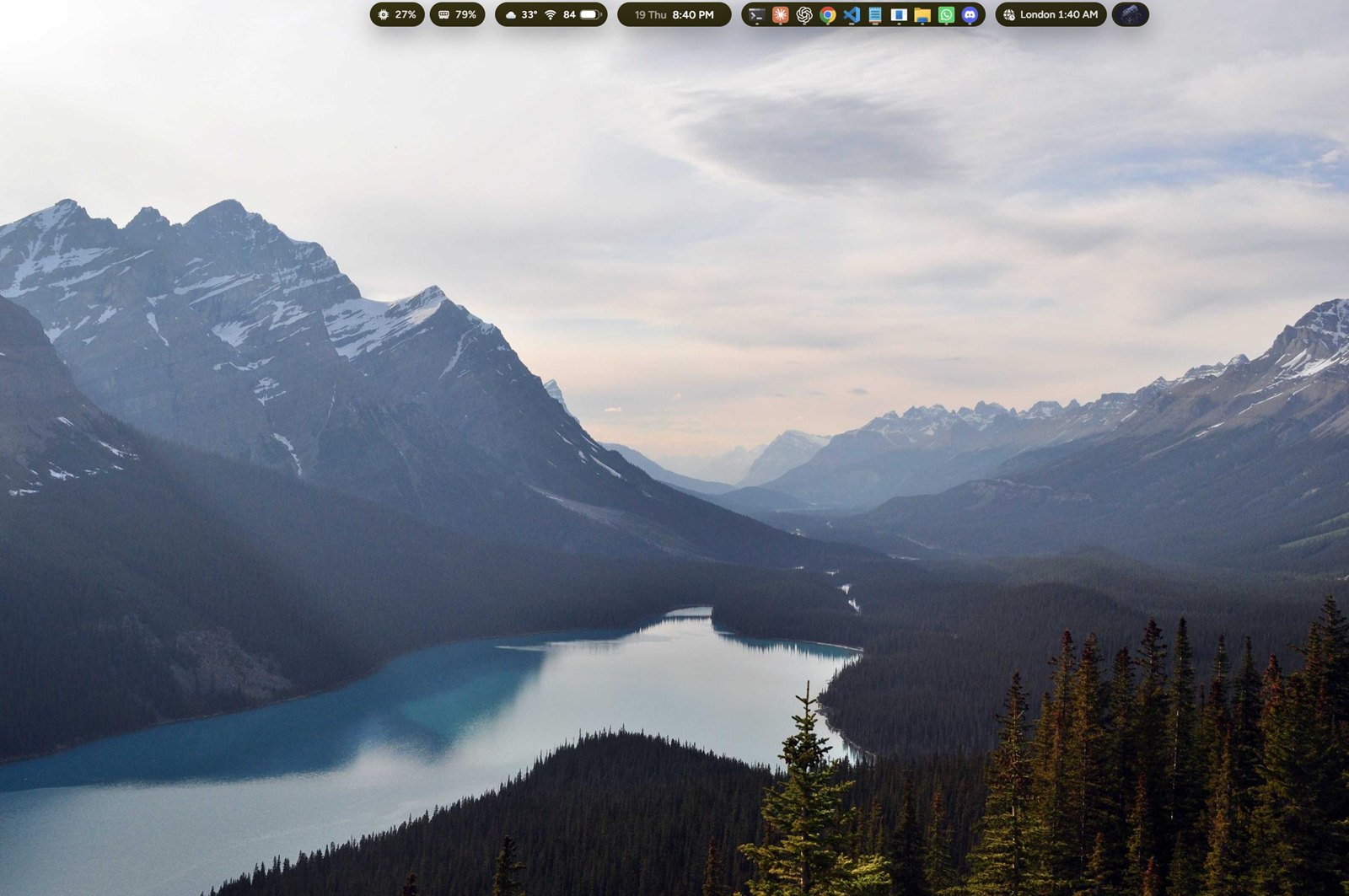
The taskbar, Start and Alt+Tab, replaced by one bar along the top of your screen.
Your apps, the weather and the time either side, and the pill in the middle: a song with its cover, your day when you rest on it, a login code, a message, a sum in search.
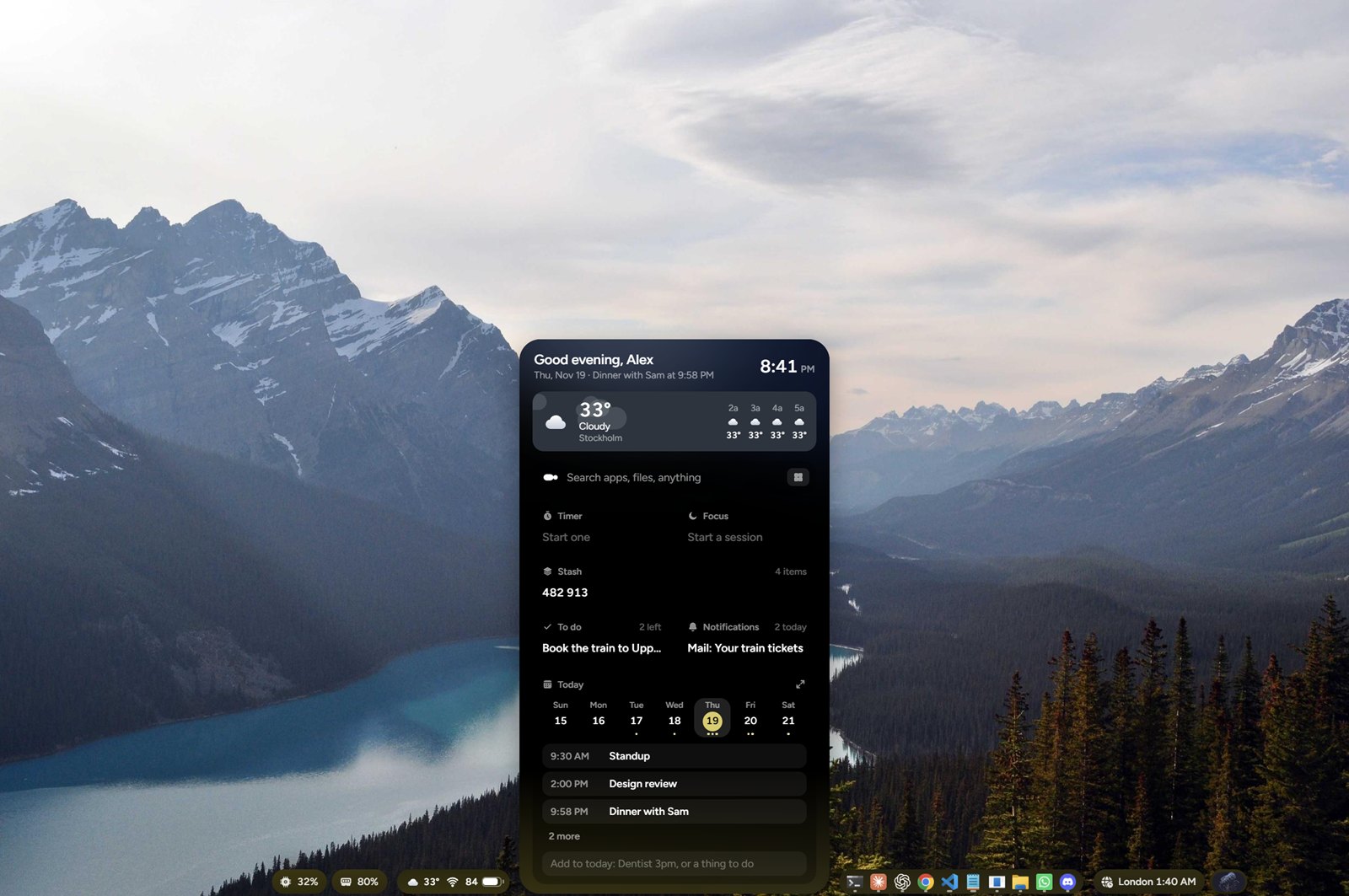
The pill opens into your day: the weather where you are, the week ahead, your to-dos, what you copied and dropped, and whatever is playing. Move away and it folds back up.
Apps, files and settings. Sums, like 18% of 240. Things to do, like timer 10 min or focus 25. Enter does the first one.
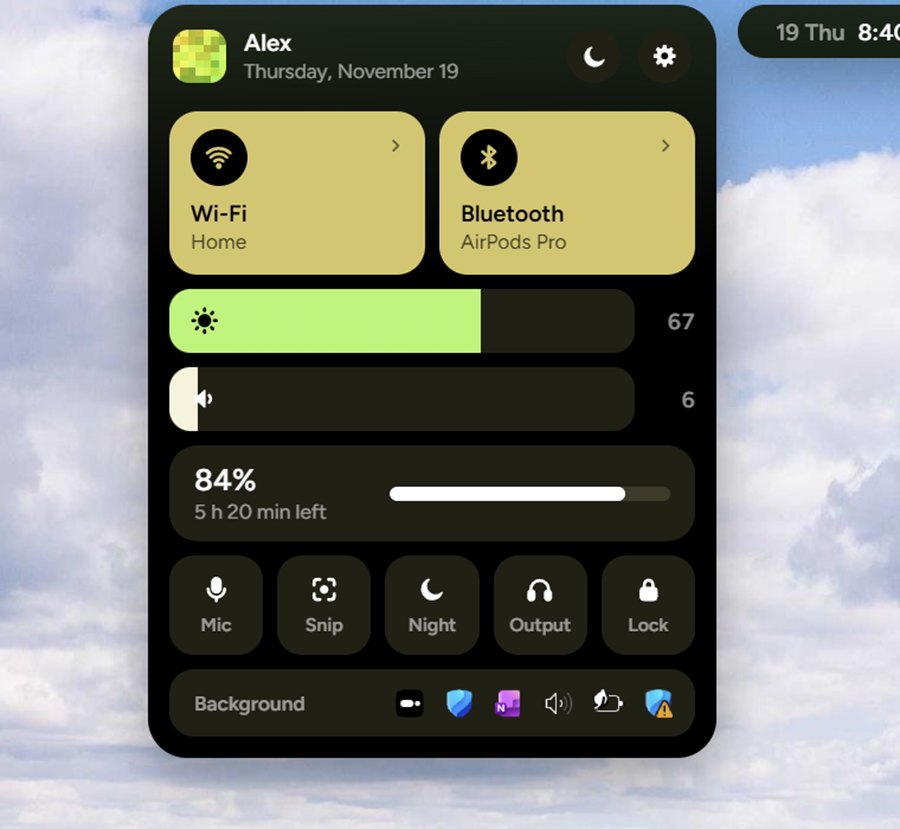
Wi-Fi, Bluetooth, sound and brightness, battery saver, and the icons apps leave in the tray, behind the status island.
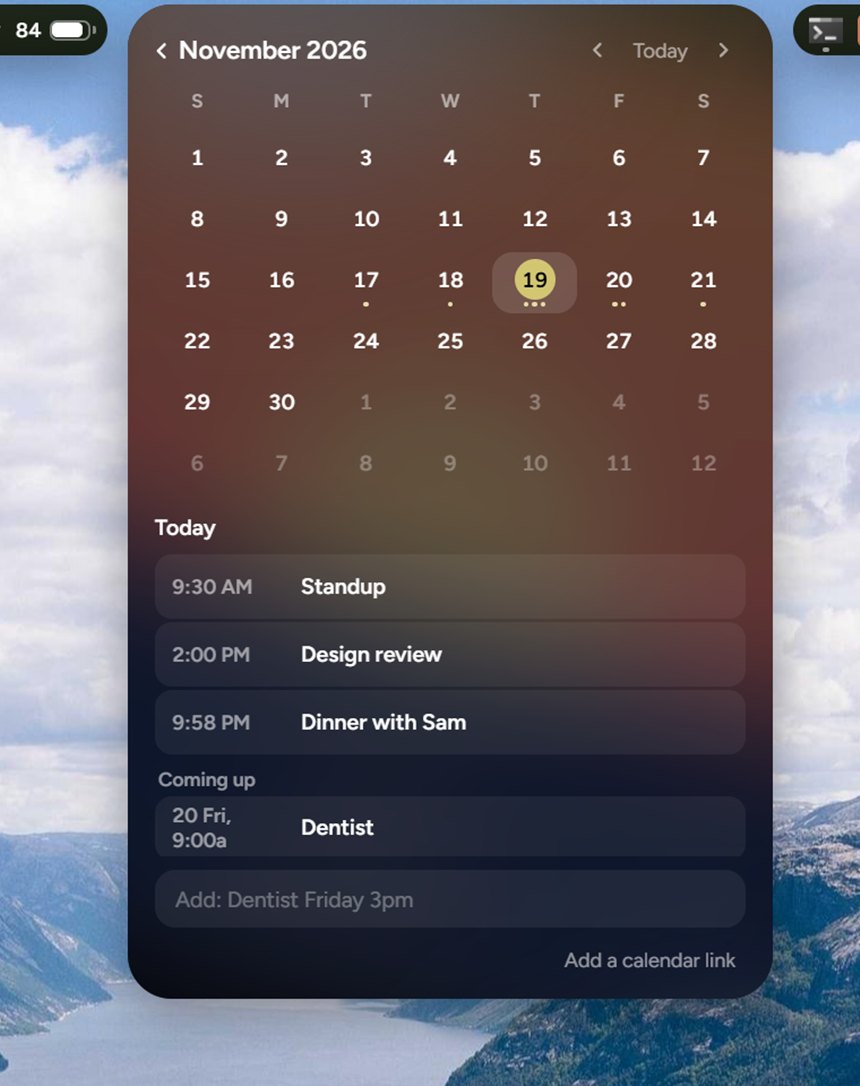
Link Google or Outlook. Their events fill your week, and each one takes the pill half an hour before it starts.
The same jobs on the same PC, counted in steps: every click, key press and typed search. Open one to watch Oriel do it.
Counted on Windows 11 with its own apps and settings, switching to the window four back. A typed search counts as one step.
Small pills at either end of the bar. Open one and it unfolds: clocks that keep time, the moon tonight, prices as they move, a stopwatch, the sky where you are.
Keep the bar along the top, clear of tabs and title bars, or put it where the taskbar used to be. Everything opens the other way.
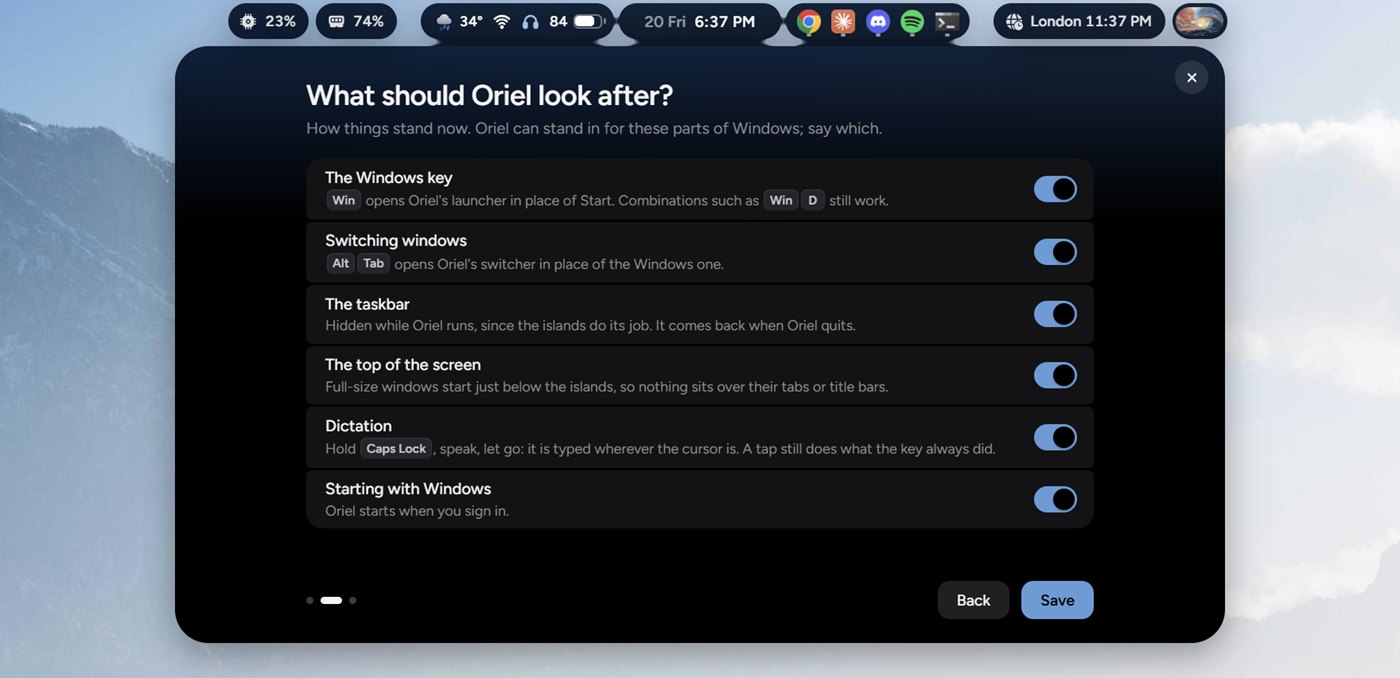
The first time Oriel runs, it asks before it takes over the Windows key, Alt Tab, the taskbar or the top of the screen. Quit it, and each one goes straight back to Windows.
No account, and no analytics.
Yes, while it is in beta.
Windows 11, on Intel, AMD and ARM processors. It has not been tried on Windows 10.
The beta is not signed with a certificate yet, so Windows says it protected your PC. Choose More info, then Run anyway. Oriel installs for you only and does not need an administrator.
Oriel hides it while it runs, if you let it. Quit Oriel, or switch that off in settings, and the taskbar comes back as it was.
On your PC only, to show them in the pill and to find login codes in them. Nothing about them leaves your computer.
Windows Settings, Apps, Installed apps, Oriel, Uninstall. The uninstaller closes it and puts the taskbar back.
Free, about 2 MB, and it puts everything back if you uninstall it.
Get for Windows 2.4 MBNot sure which? In Windows Settings, open System, then About, and look at System type. Version 0.1, for Windows 11.
One-time test payment in Polar’s sandbox. No real charge.